

The Situation
Last winter was the first time in Kyiv that I experienced extended blackouts. It was a chaotic situation, with electricity, Wi-Fi, and heat cut off to the homes of many teachers during one of the coldest winters in a decade. Luckily, we had a generator running at the school that worked most of the time. However, for certain periods, we were following a hybrid learning model to include students who had left the city or country temporarily because of the situation.
This year, it already looks like the situation is different. The electrical plants that were damaged last winter haven’t been repaired and sufficiently fortified yet. The Russians have been launching wave after wave of ballistic missiles against the city. There’s definitely a possibility that we might spend part of the school year in an online or hybrid learning situation.
Last year, I wasn’t really prepared for this. Yes, Zoom is fine, but there wasn’t really any way for me to effectively give students assignments and then monitor their progress and give feedback in real time — something that I can easily do in a live classroom.
Moreover, I needed an app that could rapidly relay to me when students dropped offline and allow them to easily rejoin their session and pick up where they left off once they got back online — even automatically uploading the work they completed in their browser while offline!
I needed something resilient, purpose-built for teaching in Ukraine.
The Solution
So, once the winter was over and we got some semblance of normalcy back, I started coding TruePaper — basically a real-time, online/offline version of Google Forms.
There are also a bunch of features that make copying/pasting and taking screenshots really difficult, which provides a bit of friction for students who want to go straight to an AI solution, but nothing is foolproof. The point is just to encourage students to do their own work.
Anyway, let’s take a look at some of the core features of the app.
When teachers log into the app, they can create a new assignment that consists of a number of different question types, including a picture taken with their phone.
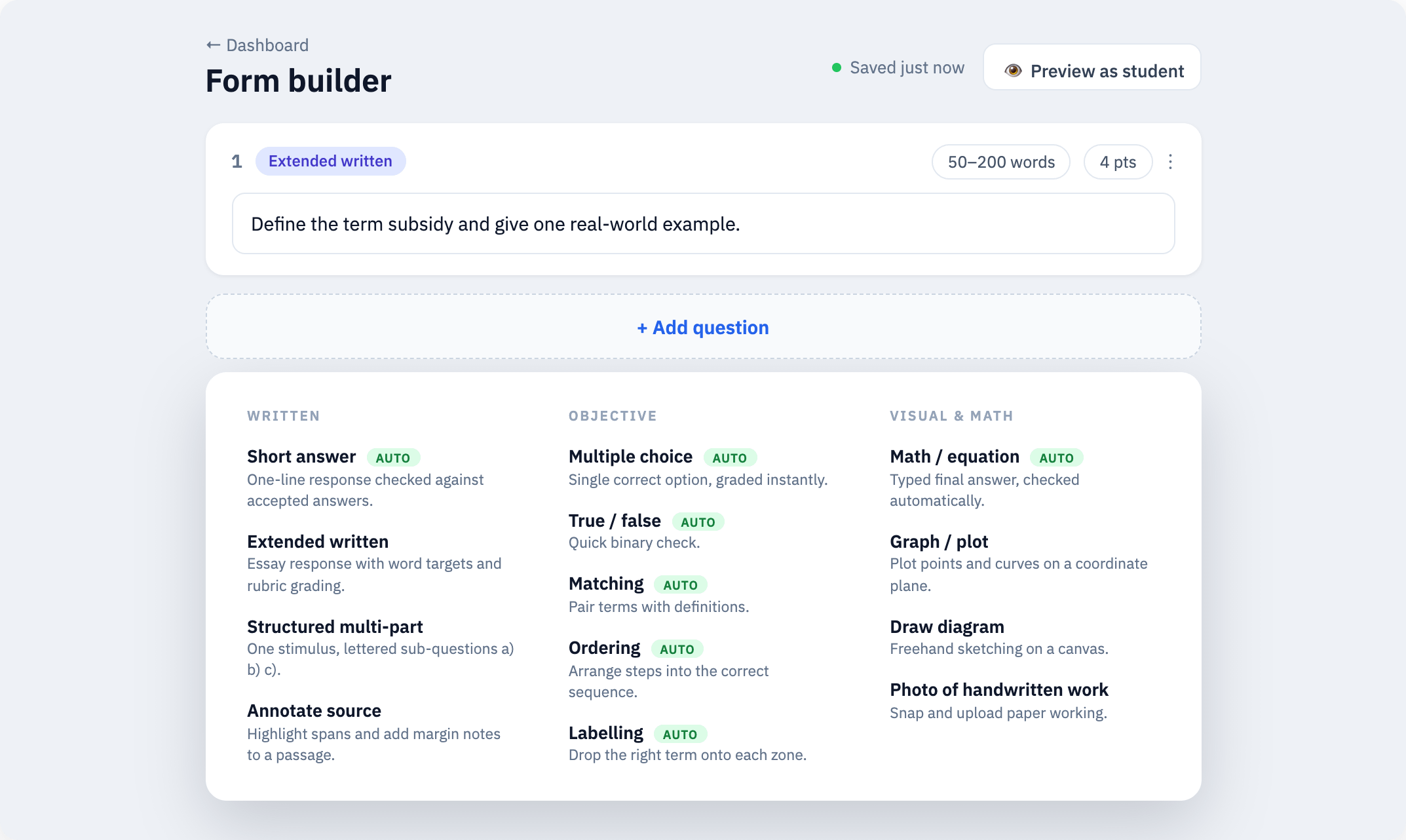
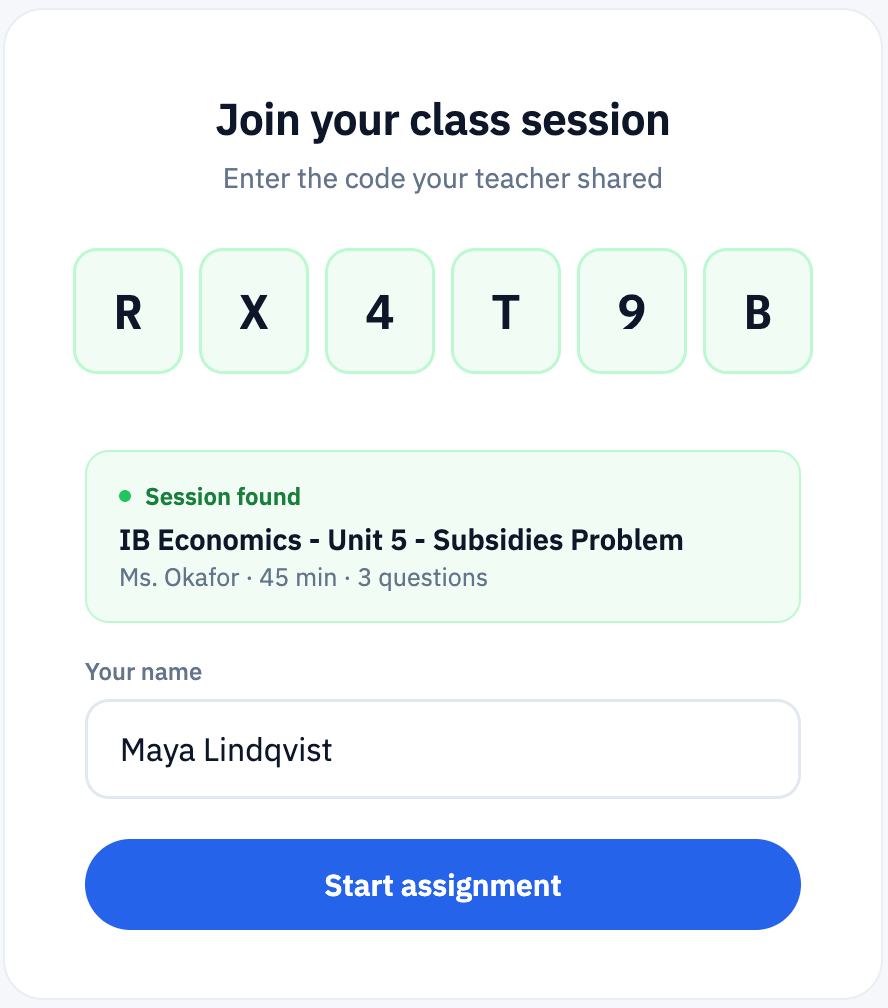
Once they’ve created the assignment, they can either start an assignment session or generate a link that kicks off an assignment session when it’s clicked. Then, all they have to do is give their students the code to start their copy of the assignment via QR code, PIN code, or another link.
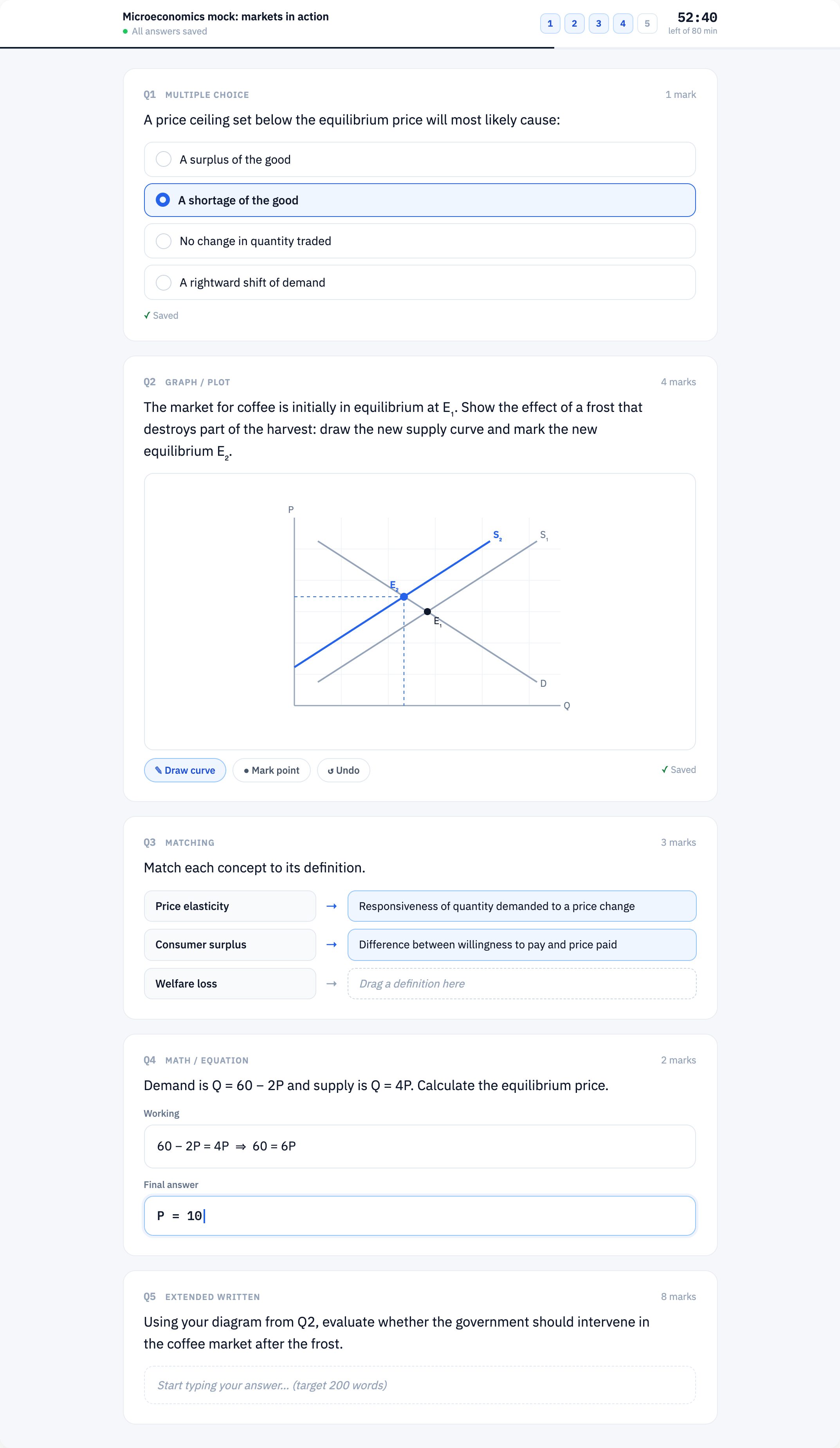
What does an assignment look like?
What does a list of students completing an assignment look like?
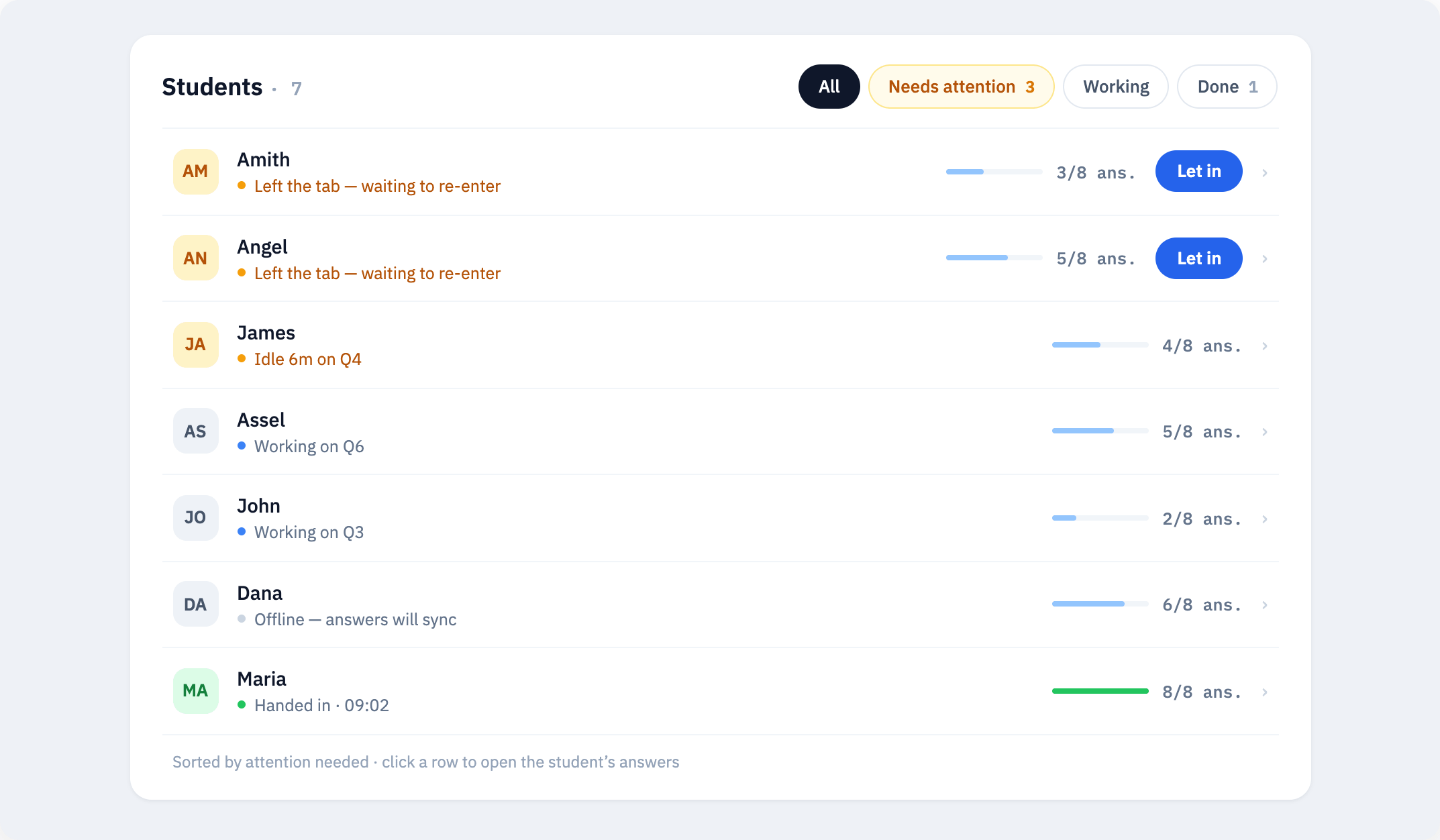
As you can see, every student has a status attached to them. This can indicate in real time anything ranging from what question they are working on, to whether they are connected to the internet, to whether they’ve already handed in their assignment. If they are working on an assignment where they aren’t permitted to look at another tab or window, their assignment is automatically frozen until the teacher communicates with them and then lets them back in.
What does it look like for students when they are working offline?
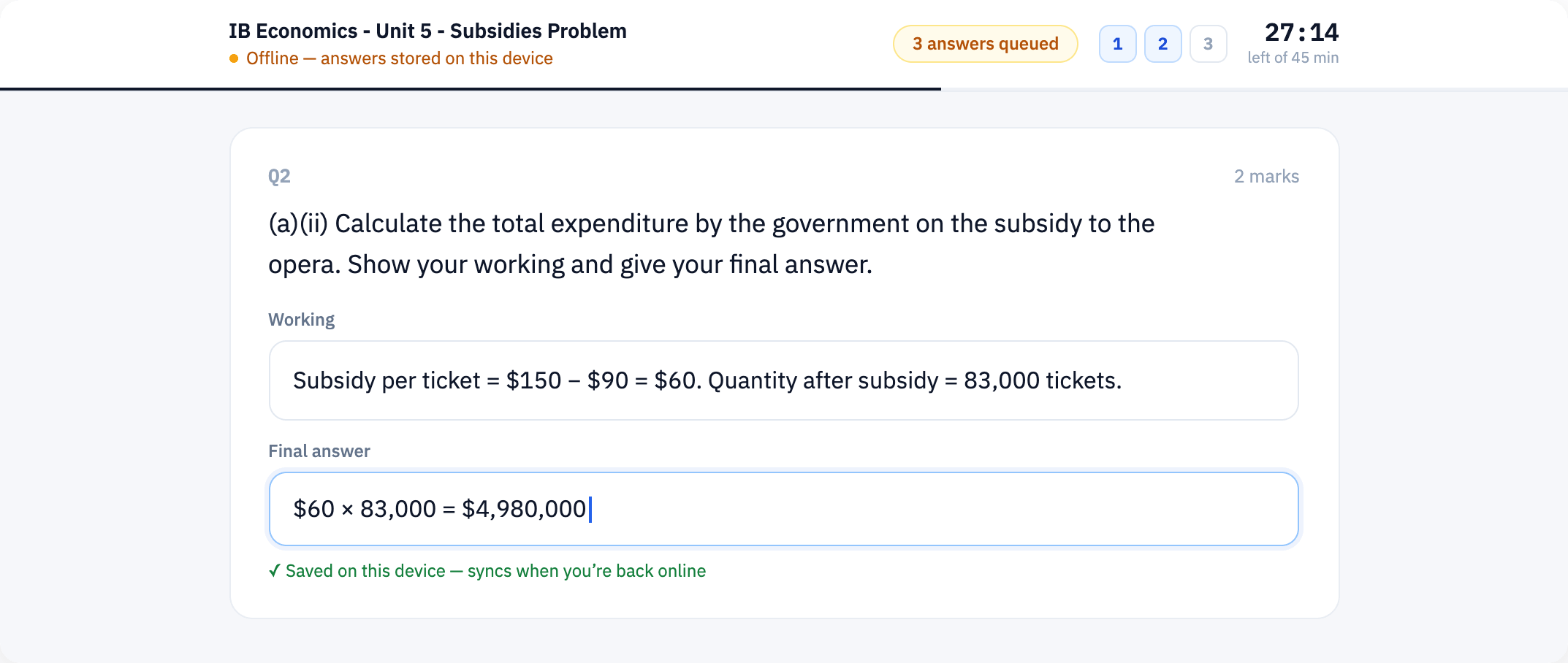
Students can work offline, and even if their computer turns off or they accidentally close their browser tab, their data will not be lost when they return to the assignment (unless they clear all of the saved data from their browser). In that case, however, their teacher will have to give them permission to re-access their assignment once they are back online.
What does live feedback look like?
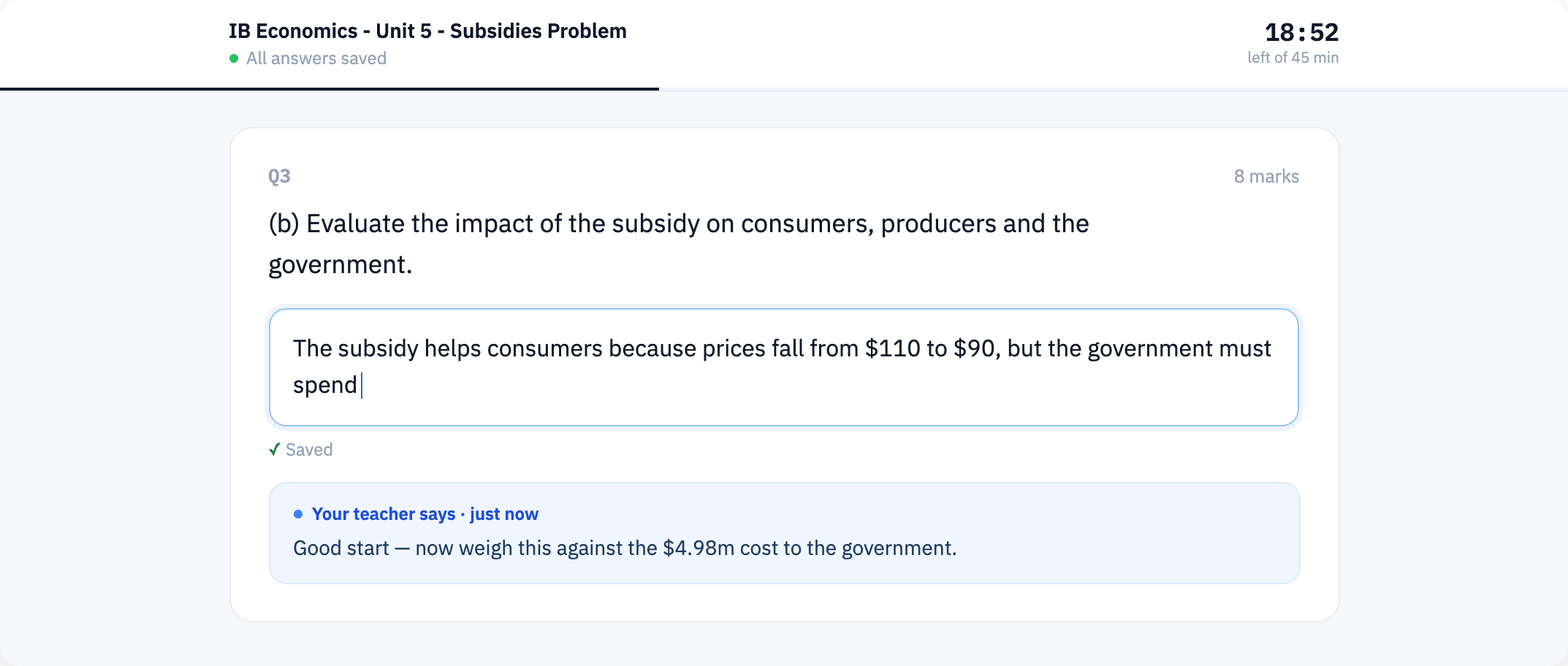
Basically, as students are working, the teacher can type a comment below the question they are working on. The teacher can also see in real time what the student is typing into their assignment, which makes this easier.
What does the teacher’s dashboard look like?
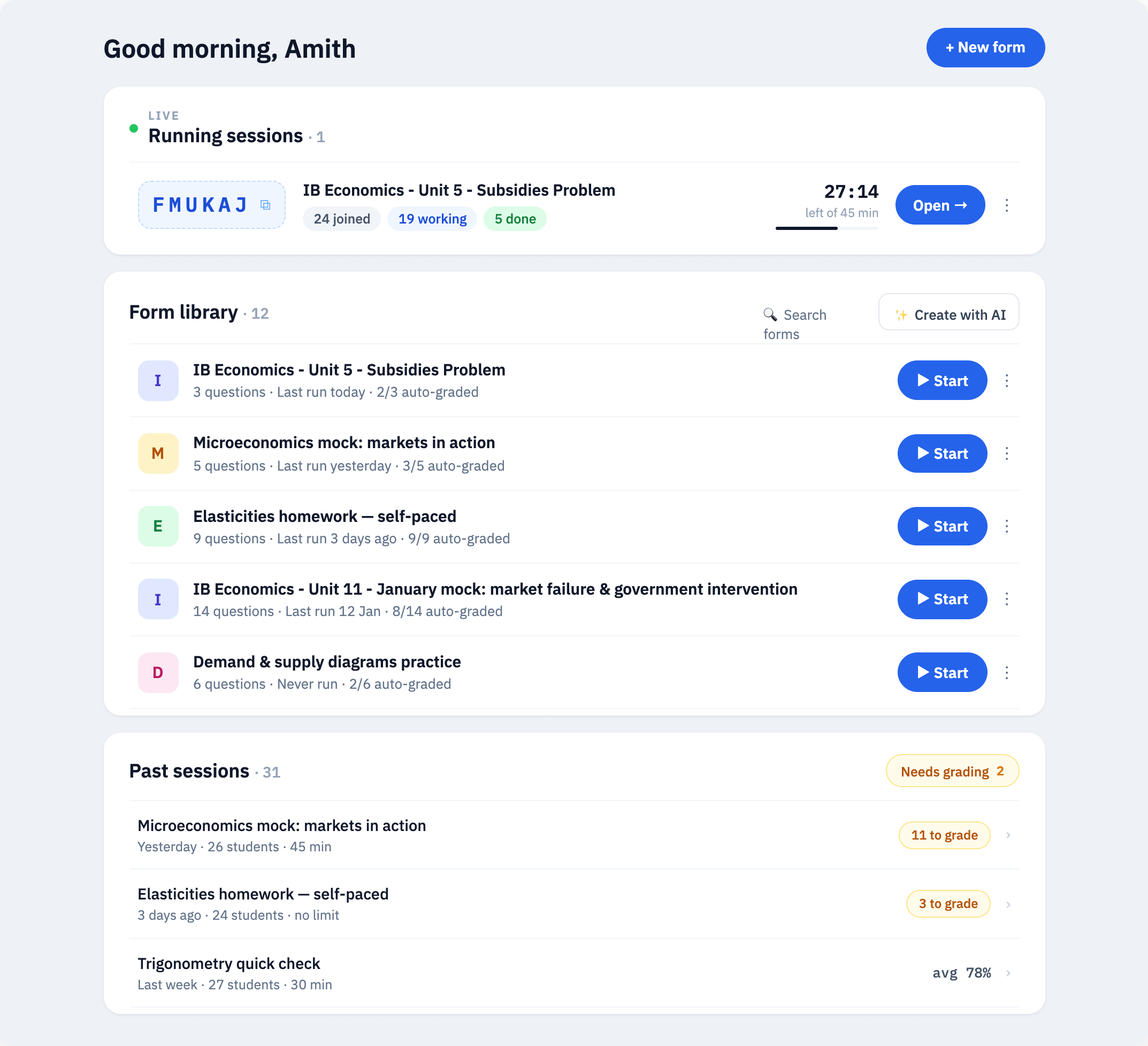
This should just give you an idea of how a teacher can go about getting started.
One feature I did add as well was templates with pre-written AI prompts. The idea is that you can use AI to populate a template with questions, plug these questions into TruePaper, and immediately create an assignment.
Grading
Yes, there is grading, and students can view their graded assignments with comments via a private link that you can send them. There’s no automated way to do this, but that’s mainly because students don’t log in and don’t put any information into the platform at all, besides accessing their assignments. I intentionally did this to maximize privacy.
Next Steps
The next steps are mainly large-scale testing and a few more security fixes. So far, I’ve tested the product with small groups of students; however, I would like to start by using the tool more extensively in my own classes.
Even outside of a blackout scenario, this tool is useful for formative assessments during class or exit tickets. Giving feedback and understanding the challenges students face is actually much easier if I have a dashboard where I can see what they are doing in real time.
It would then be great to have other teachers pilot the tool, particularly if we do have a scenario in which online or hybrid learning is required. I’d like to see how the tool stands up to large groups of concurrently connected students.
I have a feeling that once I get more users on the platform, I’ll get feedback on how to improve it (and on bugs) that I hadn’t considered before.
Also, I know the software itself can handle this scenario, but I’m curious what it would do to the backend infrastructure hosting the tool and whether I would need to upgrade it to meet the increased load. This is really an unknown factor for me.
If you want to follow my progress on this and other solutions, feel free to subscribe.
If you want to test TruePaper in your own classroom (there’s also a Ukrainian version), send me an email at amithravindar2493@gmail.com. I would be happy to collaborate!